Lifecycle email that reads every signal.
Canopy Lifecycle is AI marketing automation that sends behavior-triggered email from HubSpot or your existing sender. Agents read each contact's opens, clicks, event attendance and silence, then choose the next email inside templates your team approved. Journeys launch on approve to send, and Lifecycle brings quiet leads and closed-lost accounts back into pipeline when the signals return.

What changes on day one.
Without Canopy
- Every contact gets the same five-email nurture, whatever they did
- New leads wait hours or days for a generic reply
- Event invites, reminders and follow-up run on spreadsheets
- Lifecycle reported on opens, with no line to pipeline
- Journeys nobody has revisited since launch
With Canopy
- Each contact's next email is chosen from their full history
- A personal note from the account owner within minutes of a form fill
- Event programs run end to end, from application to follow-up
- Every journey reported through to meetings and pipeline
- Subject lines, send times and templates tuned automatically from clicks
Lifecycle that improves itself.
Every week, agents test new versions of your messaging against a holdout, measure them on click-to-open rate, and keep what wins. Every change is logged, explained and reversible.

Every change is tested against a live holdout, measured on click-to-open rate, and logged with its result. How self-improvement works ›
From signal to outcome,
with your team in the loop.
How Lifecycle runs, step by step. Agents handle the repetitive work, and people approve what matters.
- Watch
Read the behavior
Opens, clicks, page visits, event attendance and silence, tracked per contact in your CRM.
- Decide
Pick the next touch
Agents choose the next best message for that person instead of the next step in a fixed sequence.
- Write
Personalize your templates
Agents pick from your approved, on-brand templates and tailor them to what the contact has done.
- Send
Send from your CRM
Everything sends from HubSpot or your existing sender, with consent and suppression respected.
Agents work the hours.
Your team makes the calls.
Here is how a typical day runs once Lifecycle is live. The repetitive work happens before anyone logs in, and people spend their time on decisions and conversations.
Everything Lifecycle handles for you.
Behavior triggers
Journeys start and branch on what contacts actually do, not on a calendar.
Journey map
See every journey as trigger, agent decision, template and send, with performance at each step.
Template gallery
Your designed, approved templates are the only canvas agents write on, so brand stays intact.
Event programs
Applications, qualification, registrations, reminders and post-event follow-up, run end to end.
Inbound first touch
New leads get a personal note from the rep who owns the account within minutes of a form fill.
Attribution
Opens and clicks are tied through to meetings and pipeline, so lifecycle earns its budget.
Where teams put it to work.
Speed to lead
Every inbound lead gets an enriched, personal first touch from the right rep while intent is still high.
Event-led growth
Dinners, webinars and roundtables become a qualified pipeline source, with follow-up tied to real conversations.
Re-engagement
Contacts who went quiet get a reason to come back that reflects what they cared about last time.
Judged on outcomes.
Lifecycle is measured on engagement and on the pipeline it moves.
No new system of record.
Lifecycle reads from and writes back to the tools your team already uses. Your CRM stays the source of truth.
 HubSpot
 Salesforce
 Customer.io
 Clay
 Claude
 n8n
 Slack
Default mode: Approve to send or automatic
- Choose draft only, approve to send or automatic for this workspace.
- Every draft shows the evidence it used and a confidence score.
- Every send is logged with who approved it and what they saw.
Software, plus the people who run it.
Lifecycle is never handed over with a login. Your Canopy GTM Engineers build it, tune it every week and answer for the numbers alongside your team.
Map your journeys, triggers and suppression rules with your marketing team
Build and maintain the template gallery agents write within
Connect event, form and product signals to the CRM
Review journey performance weekly and retire what underperforms
“We've seen a huge uptick in the revenue contribution from CRM and email marketing thanks to your work. The blend of strategic expertise and effective implementation you offer is rare.”
Tom Hurst · Partner, Growth Division
Lifecycle questions.
Anything else, contact us.
What is behavior-triggered email?
Email that starts and branches on what a contact actually does, such as opening, clicking, visiting a page, attending an event or going quiet, instead of a fixed calendar. Canopy Lifecycle reads that history for each contact in your CRM and picks the next email from your approved templates.
Does it send from our CRM?
Yes. Lifecycle sends from HubSpot or your existing sender, so consent, suppression and reporting stay where they are today.
How do we keep control of the brand?
Agents only write inside templates your team has designed and approved, and each journey can run on approve to send.
Can it run our events?
Yes. Event programs cover applications, qualification, registrations, reminders and follow-up.
How fast is the inbound first touch?
Within minutes of a form fill. The lead is enriched, routed to the owning rep, and gets a personal note from that rep's inbox.
Will contacts get too many emails?
Frequency caps and suppression rules apply across every journey, so a contact in three journeys still hears from you at a sensible pace.
Does Lifecycle replace our HubSpot workflows?
No. Lifecycle sends from HubSpot or the sender you already use, and your existing automation is mapped in the workshop so nothing collides. Workflows change only where your team agrees, and consent, suppression and reporting stay where they are today.
Who approves Lifecycle emails?
Your marketing team. Journeys launch on approve to send, and drafts for high-value contacts wait for marketing approval. A journey moves to automatic only as results earn it, and even then agents write inside your approved templates and flag exceptions to the account owner.
How is Lifecycle reported?
Every send is tied to the contact and account in your CRM, so each journey is reported on open rate, click rate and click-to-open rate, and through to the meetings and pipeline it influenced. Learnings adds weekly tests against a holdout, with every change logged.
Can Lifecycle bring back closed-lost deals?
Yes. Canopy sizes every quiet lead, stalled deal and closed-lost account in your CRM and brings each one back when the signals say it is time. A note waits in the rep's queue, written from the last call, the objection raised and what the contact first engaged with.
Explore the other workspaces.
Further reading.
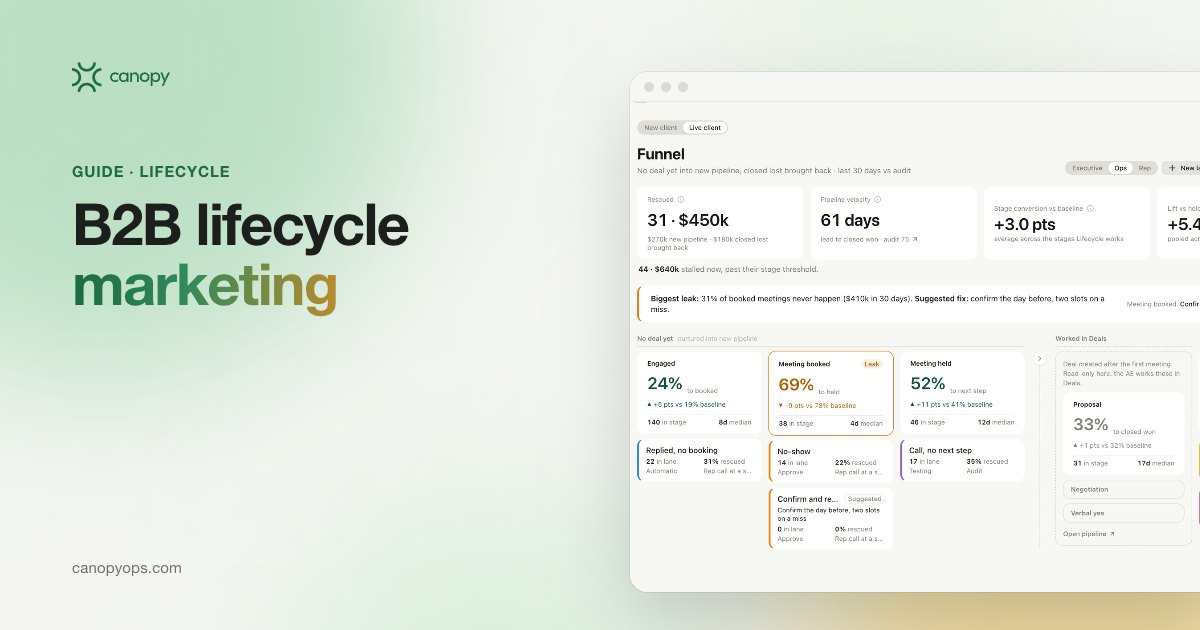
B2B lifecycle marketing: behavior-triggered email that runs on your CRM
B2B lifecycle marketing on your CRM: behavior triggers, closed-lost recovery, approved offers and voice rules, and KPIs that tie email to pipeline.
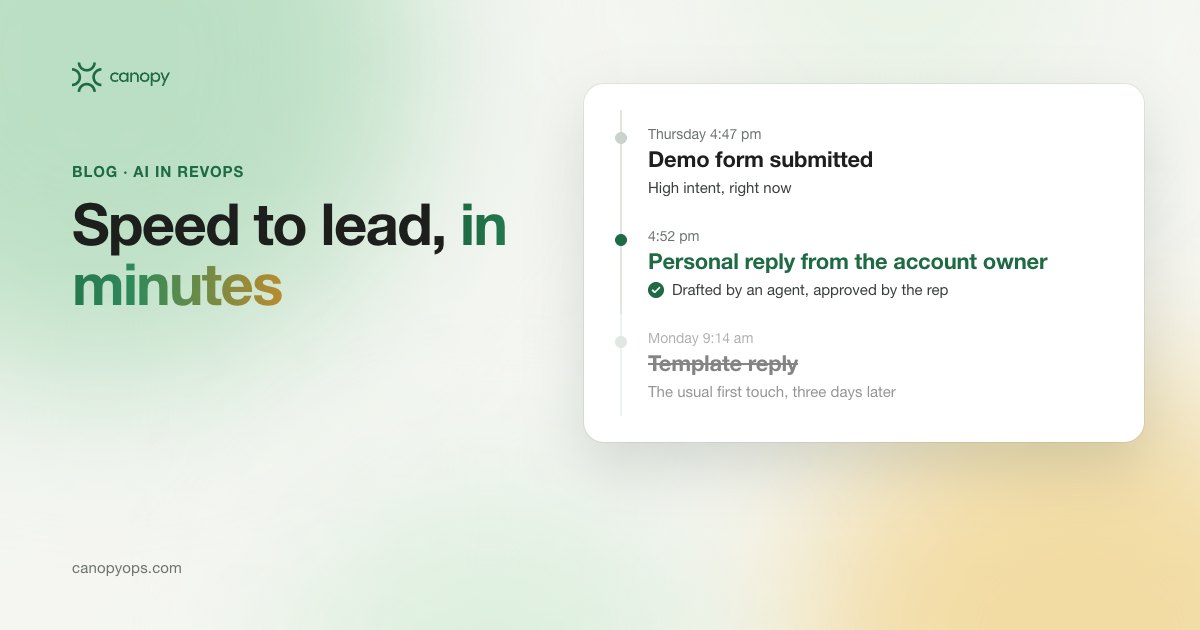
Speed-to-lead should be minutes, not days
Speed to lead should be minutes. Where the five minute rule comes from, how slowly B2B teams still reply, and how an agent drafts the first touch.
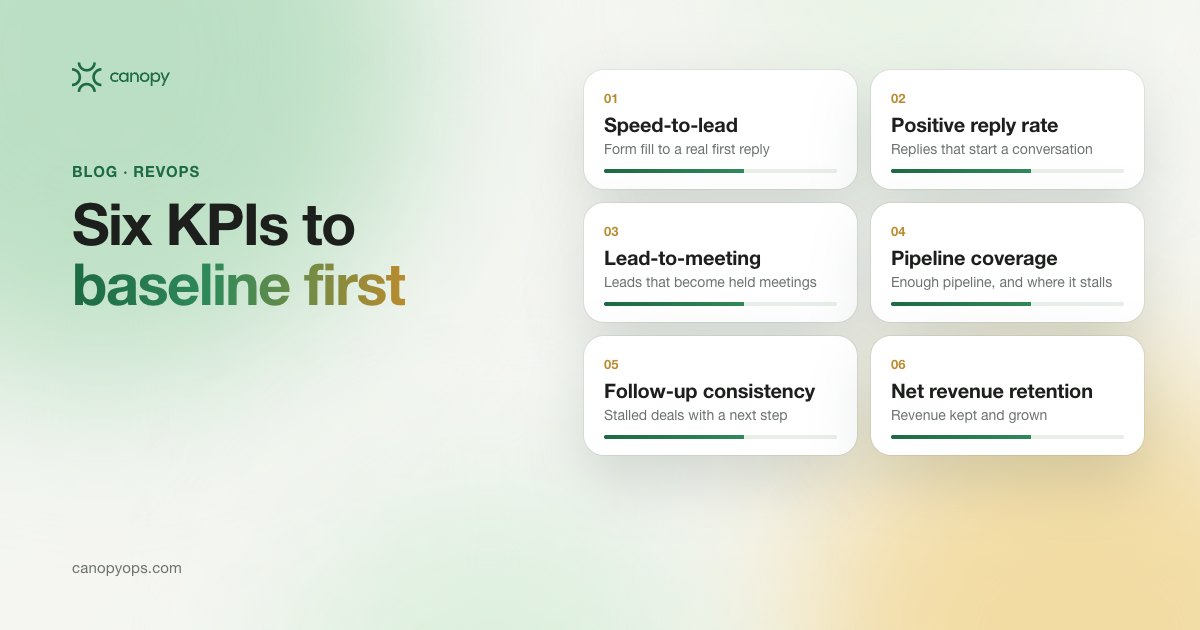
Baseline these six sales KPIs before you buy another GTM tool
Six sales KPIs to pull from your CRM before you buy another GTM tool, with the formula for each, where it lives in HubSpot and what to compare it to.
Apply to become a launch partner.
We're onboarding a small group of revenue teams ahead of general availability. Launch partners get founder-led deployment, launch pricing in writing, and a direct line into what we build next.
- Founder-led deployment
- Launch pricing, in writing
- A say in the roadmap