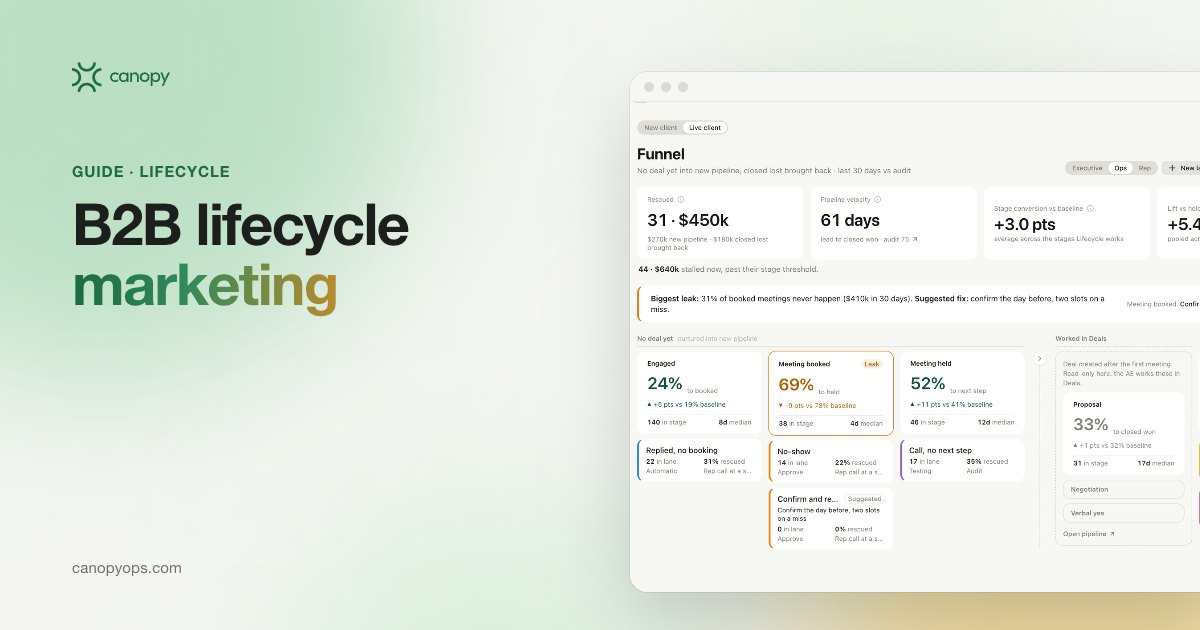
B2B lifecycle marketing is email chosen by what each contact has done, read from the CRM, instead of a fixed send calendar. At Canopy, the Lifecycle workspace runs it on HubSpot or Salesforce with two jobs: turning leads with no deal yet into new pipeline, and recovering closed-lost deals, measured on meetings and pipeline.
Key takeaways on B2B lifecycle marketing
- B2B lifecycle marketing picks each contact's next email from their CRM history: opens, clicks, page visits, form fills, event attendance and silence.
- Most of the pipeline a lifecycle program can create sits with leads who never got a deal and deals marked closed lost.
- Canopy's lifecycle agents write inside the offers and voice rules the marketing team approved, and each program runs on Approve to send or Automatic.
- Lifecycle email should report open rate, click rate and click-to-open rate, then the meetings and pipeline it produced.
What is lifecycle marketing for a B2B team?
Lifecycle marketing for a B2B team is the set of emails a company sends based on where each contact and account stands, and on what they did last. A standard nurture sequence sends email four on day twelve to everyone who entered it. A lifecycle program reads the record first, so the contact who attended a webinar and then visited the pricing page gets a different next email from the contact who signed up and never opened anything.
The CRM already holds most of what a lifecycle program needs. HubSpot or Salesforce records form fills, opens and clicks, event attendance, whether a deal exists, and if a deal closed lost, when and why. Lifecycle email turns that history into the trigger and the content of each send, and its goal is a meeting with a rep and a deal in the pipeline (our guide to AI in sales covers the stages that follow).
How B2B lifecycle marketing differs from ecommerce lifecycle
Ecommerce and B2B lifecycle share one idea, that behavior should decide the next message, but they convert in different places. Before Canopy I ran lifecycle programs for a direct-to-consumer brand, and in consumer email the trigger and the purchase live in the same store: a welcome flow, a browse reminder, a win-back offer, then an order. B2B lifecycle hands off. The conversion is a meeting, the revenue lands months later on a deal record, and several people at one account share the buying decision. So a B2B program has to know the account as well as the contact, and it has to stop the moment a rep is working an open deal.
Lifecycle marketing strategy: the two jobs that create B2B pipeline
A B2B lifecycle marketing strategy should start from the places pipeline leaks in the CRM. Two leaks account for most of it: contacts who raised a hand and never got a deal, and deals that closed lost and were never touched again. Canopy's Lifecycle workspace is built around those two jobs, and event programs feed the first one. A brand-new form fill gets its first reply from Canopy's Inbound workspace, and Lifecycle picks the contact up if no deal follows.
Job one: turning leads with no deal yet into new pipeline
Every CRM I've worked in holds contacts with real intent and no deal: the lead who asked about pricing in March, or the webinar attendee who asked a question in the chat. Nobody followed up because the lead score sat below the handoff line that revenue operations set, or the rep was busy. The first lifecycle job watches those contacts for the behavior that says they're ready, such as a return visit or a click on a specific product page, and sends the note that turns interest into a meeting. Once a deal exists, the contact belongs to the rep, and sales follow-up moves to the Canopy Deals workspace, which is locked to Approve to send so the rep owns every word.
Job two: recovering closed-lost deals
Closed-lost deals carry the best-documented history in any CRM, and many of them were lost on timing. In Ebsta's 2024 B2B Sales Benchmarks, built on 4.2 million opportunities with Pavilion, reps attributed 61% of all lost deals to indecision. Among average performers, the stated reasons were no budget (22%), not a priority (20%) and a competitor (14%). Ebsta is reporting on its own vendor data, but the pattern matches the CRM records I've read: many losses are timing problems a later email can reopen.
A closed-lost recovery program reads the loss reason, the close date and what has changed at the account since. A deal lost to "no budget" gets a check-in timed to the next planning cycle, naming the problem the buyer described. A new contact at an account with a lost deal gets an introduction that knows what their team already evaluated. Each email goes out from the contact owner's own mailbox, so a reply lands straight back with that rep.
Which behavior triggers should start a lifecycle email?
The best lifecycle triggers are behaviors the CRM already records, so the program doesn't wait on a new data source. Canopy's lifecycle agents read opens, clicks, page visits, form fills, event attendance and silence per contact, then decide what that person receives next.
| Trigger | What the CRM shows | Next email | Job |
|---|---|---|---|
| Demo or contact form fill | Form name, no open deal | Short reply in the owning rep's name within minutes | Inbound workspace first, then no deal yet |
| Event attendance | Registration and attendance | Follow-up on what the contact discussed | No deal yet |
| Pricing page visits | Repeat views by a known contact | Short offer to walk through pricing | No deal yet |
| Click after months of quiet | New engagement on one topic | Follow-up on that topic | No deal yet |
| Closed lost on timing or budget | Loss reason and close date | Check-in before the next planning window | Closed-lost recovery |
| New contact at a lost account | Contact linked to a closed-lost deal | Introduction that references the earlier evaluation | Closed-lost recovery |
| No opens or clicks | Engagement falling across programs | Fewer sends, a new offer, or suppression | Both |
Treating silence as a lifecycle trigger
Silence is a signal in lifecycle email, and the right response is usually fewer emails. A contact who has ignored six sends in a row is telling the program something, and a seventh on the same schedule pushes them toward unsubscribing. Canopy applies frequency caps and suppression rules across every program, so a contact who qualifies for three programs at once still hears from the company at a sensible pace. Low-engagement contacts get a lower cap, a different offer, or a pause until they do something that reopens the conversation, which also protects deliverability for the whole sending domain.
How lifecycle agents personalize email inside approved offers and voice rules
Canopy's lifecycle agents watch the behavior on each contact record, decide which message that person should get next, write it inside the offers and voice rules the team approved, and send it from each contact owner's own mailbox, so replies land with them. Consent and frequency caps are checked before every send. The full workflow is on the page for AI marketing automation in the Canopy Lifecycle workspace.
Offers and voice rules set the limits of what an agent may write. The marketing team approves each offer and the facts it is allowed to state, and the voice rules fix tone and what a draft may say about price. Canopy's GTM Engineers set both up with the team and check sample drafts against the voice rules before launch, so brand voice and offers hold steady while the content changes per contact.
Which lifecycle email changes wait for a person
Message changes wait for a person to accept them, and voice rules and offers fix what a draft may say about pricing and proof. New claims, offers and pricing always need a person's approval. Automatic campaigns also run under guardrails set in Canopy's agent control settings: a person reviews the first drafts of every campaign, sends are capped per domain each day, a campaign pauses itself when unsubscribes or spam reports pass a threshold, a consent gate and a frequency cap apply, and a kill switch stops every automatic campaign at once. New versions run against a holdout group first, and a change rejected later reverts the drafts.
Approve to send or Automatic: choosing a send mode for lifecycle email
Every Canopy lifecycle program runs on Approve to send or Automatic, and every deployment starts on Approve to send. A program moves to Automatic when its results earn it. Draft only, the third mode, is the default for the Customers workspace, which runs AI for customer success.
| Send mode | What happens | Where Canopy uses it |
|---|---|---|
| Draft only | Agents write; nothing leaves until a person sends it | Default for Customers |
| Approve to send | Each email arrives as a preview with its evidence and a confidence score, and one click sends it | Every deployment starts here; Deals is locked to it |
| Automatic | High-confidence sends go out on their own, with exceptions flagged to the account owner | Lifecycle and other workspaces once results earn it |
Approve to send suits lifecycle programs where each email carries weight, such as closed-lost recovery or anything that names an account's history with the company. Automatic suits high-volume programs with well-tested messages, such as event reminders. I'd keep closed-lost recovery on Approve to send longer than anything else, because one wrong reference to a lost deal costs more than a slow week.
Lifecycle email marketing KPIs: what to measure past the open
Lifecycle email marketing should be judged on engagement and on the pipeline it moves. Engagement metrics show whether the right email reached the right person, and meetings and pipeline show whether the program earned its budget. Our post on the KPIs to baseline before buying GTM tools covers how to set the starting numbers.
| KPI | How Canopy reports it | What it tells you |
|---|---|---|
| Open rate | Per program and message | Whether subject lines and send times land |
| Click rate | Clicks against emails delivered | Whether the content earns engagement |
| Click-to-open rate | Clicks per open | Whether the email delivers what the subject line promised |
| Meetings booked | Meetings from contacts in a program | Whether lifecycle hands real conversations to sales |
| Pipeline influenced | Deals touched by lifecycle, split by job | How much new and recovered pipeline moved |
What ecommerce data says about triggered versus batch email
The largest published comparisons of triggered and batch email come from B2C ecommerce, so treat them as direction for B2B, not as benchmarks. Omnisend's 2026 email marketing benchmarks, covering more than 20 billion campaign emails and 470 million automated sends across 27,000+ brands in 2025, found automated emails beat campaigns on click-to-open rate (11.87% vs 2.44%) and conversion rate (1.49% vs 0.08%), with nearly identical open rates (30.21% vs 30.41%) and a higher unsubscribe rate for automations (0.59% vs 0.20%). Klaviyo's 2026 benchmark data shows the same shape: a 5.58% click rate for flows against 1.69% for campaigns, with open rates close (32.2% vs 31%).
In the Omnisend and Klaviyo data, the gap between triggered and batch email shows up in clicks and conversions, so a lifecycle program judged on opens alone looks no better than a newsletter. We haven't found a B2B equivalent with a published method, so Canopy reports each program through to meetings and pipeline.
Lifecycle marketing examples for B2B teams
Six lifecycle marketing examples cover most of what a B2B team needs in its first quarter:
- Inbound first touch: a demo request with no open deal gets a short reply in the owning rep's name within minutes, with every fact cited from the form and the CRM. In Canopy this runs in the Inbound workspace, and Canopy's post on agentic inbound and speed to lead covers why minutes matter.
- Event follow-up: attendees hear about what they discussed, and no-shows get the recording with a lighter ask.
- Pricing-page return: a known contact with no deal who comes back to pricing gets a short offer to walk through it.
- Closed lost on timing: a deal lost as "not a priority" gets a check-in before the next planning cycle.
- New contact at a lost account: an introduction that references the earlier evaluation.
- Re-engagement: a contact quiet for months who clicks a product update gets one follow-up on that topic, and nothing else that week.
How a Canopy lifecycle program is built and run
A Canopy lifecycle program goes live after a 30-day build and is then run with the marketing team week by week. We unify your systems, build an agent layer on top, and make it the master platform for everything in your CRM. Our team runs it with you, and we own the results. The path, described on how Canopy deploys, is the same every time:
- Week 0 is the revenue workshop, where current nurture, forms and events are mapped.
- The 30-day build loads the offers and voice rules, and sets the triggers and exclusion rules from CRM history.
- Programs launch on Approve to send, and the 90-day adoption period (days 30 to 120) puts GTM Engineers in the weekly review.
- Monthly sprints and quarterly waves then extend the system into the next workspace.
Canopy Learnings runs alongside every program, testing new message versions against a holdout. Each week it proposes the winning version with its evidence, and one click applies it. Marketing leaders who want the team view can start from Canopy for marketing teams. Canopy is built by the team behind Sprig and Stability AI.
Common questions about lifecycle marketing
What is B2B lifecycle marketing?
B2B lifecycle marketing sends each contact the email their CRM history calls for, instead of the next step in a fixed calendar. Canopy's Lifecycle workspace runs it on HubSpot or Salesforce with two pipeline jobs: turning leads that have no deal yet into new pipeline, and recovering closed-lost deals. Programs are measured on open rate, click rate and click-to-open rate, then on meetings and pipeline.
How is lifecycle marketing different from a lead nurture sequence?
A nurture sequence sends the same emails in the same order to everyone who enters it. Lifecycle marketing reads what each contact did, such as a webinar attended, a pricing page visited or a month of silence, and picks the next email from that history. A nurture sequence can sit inside a lifecycle program, but the lifecycle program decides who gets it and when.
What CRM data does a lifecycle email program need?
A lifecycle email program needs contact activity, deal status and account associations from the CRM: form fills, opens and clicks, page visits, event attendance, whether an open deal exists, and for closed-lost deals the loss reason and close date. Most HubSpot and Salesforce instances already hold this.
Can lifecycle email win back closed-lost deals?
Lifecycle email can recover closed-lost deals when it reads why the deal was lost and times the next touch to that reason. Ebsta's 2024 benchmarks found reps attributed 61% of lost deals to indecision, so many losses are timing problems. A recovery program sends a check-in from the contact owner when the buyer's situation has likely changed, referencing the original evaluation.
Will AI-written lifecycle email stay on brand?
Canopy's lifecycle email stays on brand because agents write inside the offers and voice rules the marketing team approved. Offers set the facts a draft may state, voice rules set tone and price wording, and agents tailor the content to each contact's history. Message changes wait for a person to accept them, and any program can run on Approve to send.
Does Canopy Lifecycle send email automatically?
Canopy Lifecycle sends automatically only when a team chooses Automatic for a program. Every deployment starts on Approve to send, where each email arrives as a preview with its evidence and one click sends it. A program moves to Automatic once its results earn it, and then only high-confidence sends go out on their own, with exceptions flagged to the account owner.
Do we need a new email platform for lifecycle marketing?
No new email platform is needed for Canopy Lifecycle. Lifecycle sends from each contact owner's own mailbox, so replies land with the owner. Canopy's agent layer sits on top of the CRM the company already owns, checks consent and suppression before each send, and leaves HubSpot or Salesforce as the source of truth for every contact and deal.
What KPIs should a B2B lifecycle program report?
A B2B lifecycle program should report open rate, click rate and click-to-open rate per program and message, then meetings booked and pipeline influenced. Meetings and pipeline, split between new and recovered closed-lost deals, show whether the program earned its budget. Canopy defines click-to-open rate as clicks per open.
Is open rate still a useful lifecycle email metric?
Open rate is useful for testing subject lines and send times, and weak as a measure of a lifecycle program's value. In Omnisend's 2026 ecommerce benchmarks, automated and campaign emails had nearly identical open rates while automated emails converted far better. For B2B teams, click-to-open rate, meetings booked and pipeline moved are the stronger measures.
Written by Jon Farrar, Co-Founder of Canopy, who leads lifecycle and go-to-market. Jon was head of marketing for an eight-figure global direct-to-consumer brand, where he drove revenue through personalized lifecycle programs. Last updated: November 2026.
Canopy is opening its agentic revenue system to a select few launch partners. If your CRM is full of leads with no deal and closed-lost deals nobody revisits, apply to become a launch partner.
Lifecycle
See how Canopy puts this to work on top of HubSpot or Salesforce, with your team approving what sends.