Human in the loop (HITL) means a person takes part in an automated system's decisions, usually by reviewing or approving its output before it takes effect. For AI agents in sales, a rep or manager approves emails to buyers and changes to the CRM before they happen, and the team decides which actions, if any, can run without review.
Key takeaways on human in the loop for sales agents
- The EU's High-Level Expert Group on AI separated three levels of human oversight in 2019: in the loop, on the loop and in command.
- Messages to buyers and changes to the deal record need approval most, because a sent email can't be recalled and a wrong stage skews the forecast.
- Approving everything stops working at volume, since people asked to approve many decisions quickly stop reviewing them.
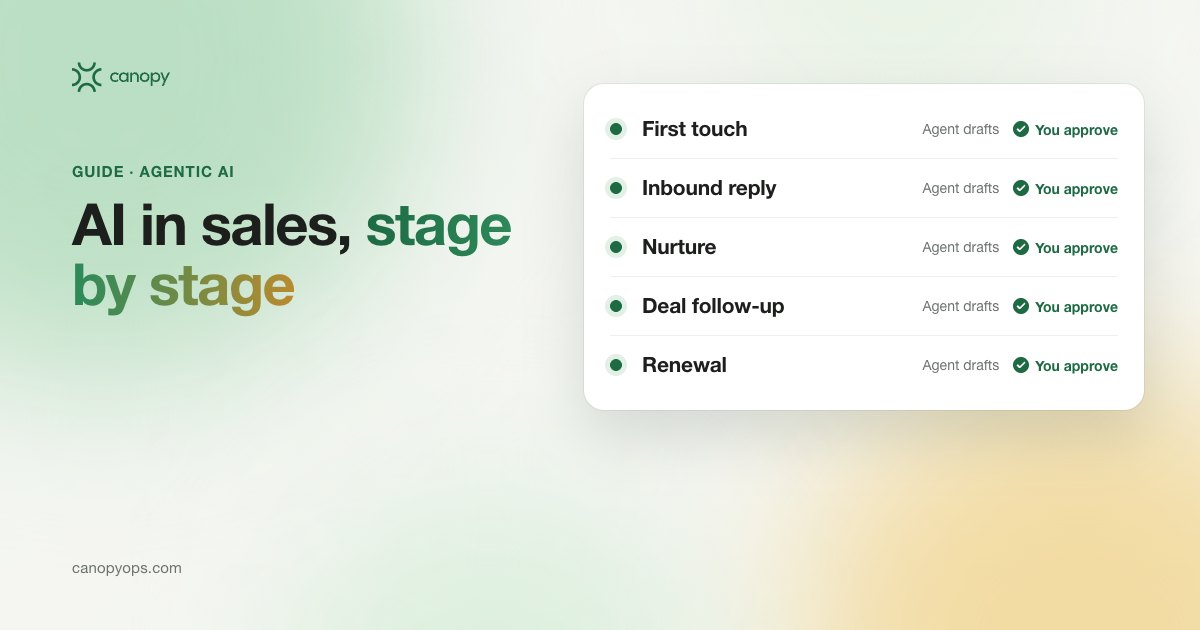
- Canopy runs every workspace in Draft only, Approve to send or Automatic, starts every deployment on Approve to send and keeps deal follow-ups locked there.
What does human in the loop mean in AI?
IBM defines human-in-the-loop (HITL) as a system or process in which a human actively participates in the operation, supervision or decision-making of an automated system, to ensure accuracy, safety, accountability or ethical decision-making. Google Cloud's definition covers the whole life of a model: people can take part in training it, evaluating it or operating it. Sales teams care most about operation, because that happens every day in the CRM and the reps' inboxes. In this glossary entry, human in the loop means a named person reviews an agent's action, such as an email to a buyer or an edit to a deal, before it takes effect.
Where the term comes from: in the loop, on the loop and in command
The European Commission's High-Level Expert Group on AI (HLEG) gave the term a three-part structure in its Ethics Guidelines for Trustworthy AI, published on 8 April 2019:
- Human in the loop (HITL) is the capability for a person to intervene in every decision cycle of the system, which the guidelines say is in many cases "neither possible nor desirable."
- Human on the loop (HOTL) is the capability to intervene during the design cycle and to monitor the system while it operates.
- Human in command (HIC) means overseeing the system's overall activity and deciding when and how to use it, including not using it or overriding it.
The HLEG guidelines, which are non-binding, also set a trade-off that holds for sales agents: all else equal, the less oversight a person can exercise over an AI system, the more extensive testing and stricter governance it needs.
How NIST and the EU AI Act describe human oversight
NIST AI RMF: define who oversees the AI
NIST's AI Risk Management Framework (AI RMF 1.0, January 2023) treats oversight as a range, from systems that act fully on their own to fully manual ones. Some systems may not need human oversight, and others specifically do. NIST asks for clear roles: subcategory MAP 3.5 says processes for human oversight are defined, assessed and documented in line with organizational policies. For a sales team, that means writing down, for each agent, who approves what and where it gets recorded.
EU AI Act Article 14: what an overseer must be able to do
Article 14 of the EU AI Act (Regulation (EU) 2024/1689) requires high-risk AI systems to be designed so natural persons can effectively oversee them while they are in use (AI Act Explorer, Article 14). Article 14(4) says overseers must be enabled, as appropriate, to understand the system's capacities and limits, stay aware of automation bias, interpret its output correctly, decide not to use it or to override or reverse its output, and interrupt it "through a 'stop' button or a similar procedure."
Article 14 applies to high-risk AI systems only, and whether a given sales tool falls into that class is a question for counsel. The Digital Omnibus on AI, published in the Official Journal on 24 July 2026 and in force from 27 July 2026, moved the start of Annex III high-risk obligations from 2 August 2026 to 2 December 2027, and Annex I obligations to 2 August 2028, as Lewis Silkin summarizes. The Article 14(4) list still works as a design checklist for any sales agent.
Human in the loop vs human on the loop vs human in command for sales agents
The HLEG's three oversight models map onto the ways a sales team can run an AI agent, with a fourth row, no review, for comparison.
| Model | Where the person sits | Sales example | Fits when |
|---|---|---|---|
| Human in the loop | Approves each action before it takes effect | A rep approves every follow-up email before it sends | The action goes out in a person's name or changes a live deal |
| Human on the loop | Sets the rules and monitors the agent as it runs | Confident replies to form fills send, and uncertain ones wait for a person | Volume is high and people rarely edit the drafts |
| Human in command | Decides whether and how the agent is used, and can override it | A sales leader chooses where an agent may send and pauses a campaign when unsubscribes climb | Always, above the other two |
| No review | Nobody checks actions | The agent sends every email it drafts | Rarely in sales, since less oversight demands more testing |
Which actions should an AI sales agent get approval for?
Messages to buyers: approve before they send
Any message a buyer will read is the clearest case for human in the loop. The email goes out in a rep's name, it can't be recalled, and one wrong fact about a price or a promise costs more trust than a slow reply. A 2023 governance paper from the AI lab OpenAI, Practices for Governing Agentic AI Systems, calls requiring a user to authorize important actions a standard way to limit egregious failures of agentic systems. My default is to keep two kinds of message behind approval for good: anything sent mid-deal, and anything that mentions price. Everything else earns its way out by how rarely people edit it. The same logic applies to AI sales agents from first touch to renewal.
CRM changes: approve anything that rewrites the deal
CRM changes need approval when they alter what the team reports on: deal stage, amount, close date or owner. A wrong stage moves the forecast and can sit unnoticed until the next pipeline review. Logging a reply carries less risk, because it records something that already happened. Salesforce draws a similar line on its AI sales agent page, with a suggestive mode in which a person reviews, edits and approves pipeline updates, and a mode in which the agent updates opportunities automatically. Write down which fields an agent may change by itself and which wait for the record's owner.
Approval fatigue: when approving everything stops working
Approval protects a team only while the approver reads what they approve. OpenAI's 2023 governance paper flags two problems: the person needs enough context to understand the request, and having to approve many decisions quickly reduces meaningful review. University of Washington researchers describe a five-level scale for AI agents in which, at Level 4, the user is an approver contacted only for blockers, such as signing off on consequential actions. In sales, that means routing attention: show the evidence behind each draft, flag the uncertain ones, and move routine work to on-the-loop oversight once the edit history supports it.
How HubSpot and Salesforce document approval for AI sales agents
HubSpot's AI prospecting agent, part of Breeze, lets users review and edit AI-drafted emails before they send each time contacts are enrolled. HubSpot says that once users are comfortable, they can switch to a fully automatic mode that sends without review. Salesforce's Help pages for Agentforce Engagement (formerly Agentforce Lead Nurturing) say that with Review Before Send turned on, each generated email is queued for the prospect owner, who approves or edits it from the prospect record or the Engagement Control Center. Agent managers can also approve. An optional flow queues only emails that match criteria the admin defines, and the rest send without manual review. Each description comes from the vendor's own documentation, checked 4 November 2026.
How human in the loop works in Canopy
Three send modes, set per workspace
Every workspace on the Canopy platform runs in one of three send modes. Draft only: "Agents draft. Nothing sends until you send it." Approve to send: "Agents draft and queue. One click sends." Automatic: "Agents send, log every send, and ask only on exceptions." Every Canopy deployment starts on Approve to send. The mode is set per workspace, queued items follow a new rule immediately, and every send-mode change is logged with who made it and when. Agents do the work, people approve it, and Canopy is paid on the revenue outcomes it delivers. Canopy's agent control page lays out the settings.
Why Canopy's Deals workspace stays on Approve to send
Canopy's Deals workspace is locked to Approve to send, and the pill gives the reason: "Live-deal follow-ups go out in your name to people mid-evaluation. You always send them yourself." The rep owns every word. Canopy Deals drafts each follow-up from the call, opening on what the rep promised and answering the objection the buyer raised, and the rep reads, edits and approves it. Stage changes stay with the rep too, since Update stage opens the deal in the CRM. Deal work stays human in the loop however well the agents perform elsewhere.
What a Canopy reviewer sees before approving a draft
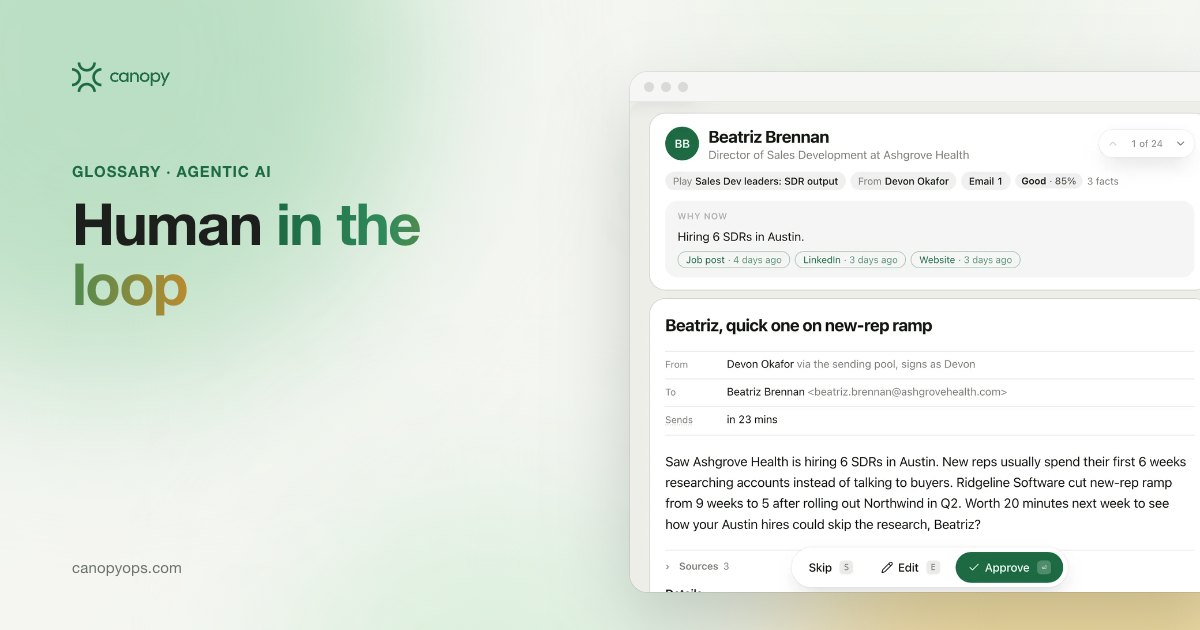
Each Canopy review shows who the email is for, why now, the sources and their age, then the email, whose name it goes out in and when it sends. Every sentence links to the fact behind it, and sentences with no source are counted and marked. Each draft carries a confidence score with its reason: Strong at 90% and up, Good at 85% to 89%, Look under 85% or when a check flags it. Under the 85% floor, the highlighted action switches from Approve to Edit. Bulk approval becomes available only after you've opened one draft, and every approval has a 30-second undo.
Guardrails when a Canopy workspace runs on Automatic
On Automatic, Canopy sends drafts at 85% or above on schedule, and anything under the floor waits for its owner. In Canopy Lifecycle, a lane qualifies for Automatic once 90% of its last 100 drafts were sent as-is. Automatic campaigns carry these guardrails:
- A person reviews the first 20 drafts.
- Each sending domain has a daily cap, and a frequency cap applies.
- A campaign pauses automatically when unsubscribes or spam reports pass a threshold.
- A consent gate covers consent regions.
- A kill switch stops every automatic campaign at once.
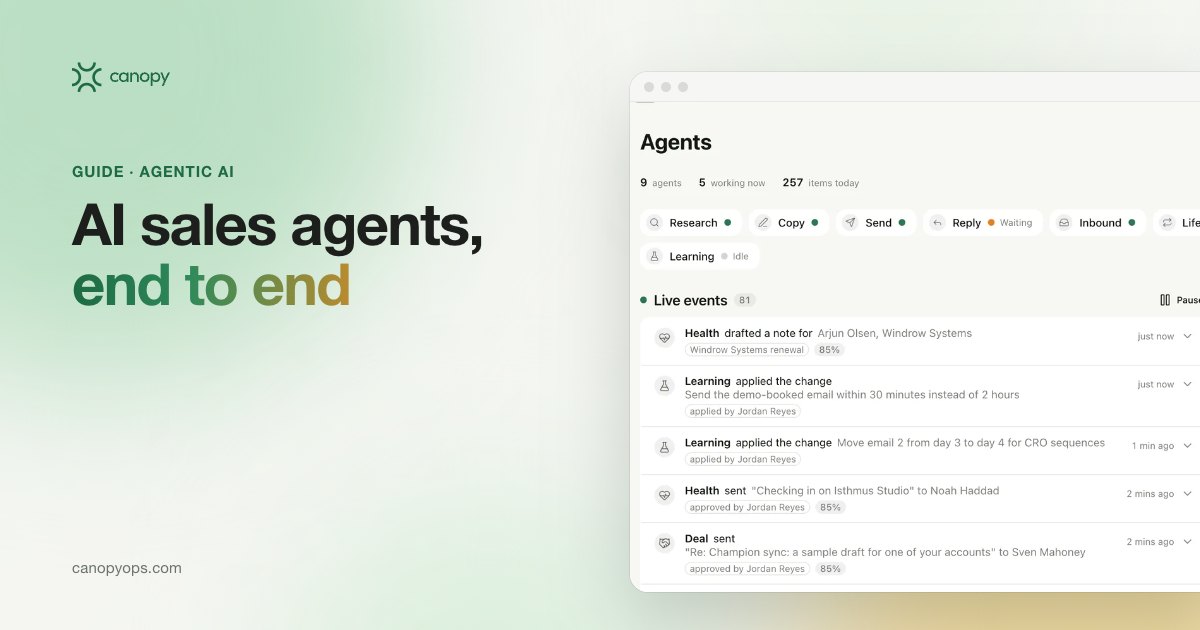
Any play or lane can be paused, and message changes from Canopy Learnings wait for a person to accept them. The Agents page logs every agent action with its reasoning, and each send shows who approved it or that it went out above the confidence floor.
Human in the loop questions sales leaders ask
What does human in the loop mean for an AI sales agent?
Human in the loop means a person reviews and approves what an AI sales agent does before it takes effect. A rep or manager reads each email to a buyer and each change to the deal record, approves or edits it, and only then does it go out. Teams can later relax review for routine, low-risk actions while keeping it on anything sent in a rep's name during a live deal.
What is the difference between human in the loop and human on the loop?
Human in the loop puts a person in every decision cycle, while human on the loop has the person design the rules and monitor the system as it runs. Both terms come from the EU High-Level Expert Group on AI's 2019 Ethics Guidelines for Trustworthy AI. In sales, in the loop means approving each email. On the loop means confident drafts send while a person watches and handles the exceptions.
Does the EU AI Act require human oversight of AI sales agents?
The EU AI Act's human oversight article, Article 14, applies to high-risk AI systems, so the answer depends on whether a given system is classed as high-risk, which is a question for legal counsel. After the Digital Omnibus on AI, Annex III high-risk obligations start on 2 December 2027 and Annex I obligations on 2 August 2028. Article 14's list of oversight abilities still makes a sound checklist for any sales agent.
Which sales tasks should always need human approval?
Emails to buyers in a live deal and changes to a deal's stage, amount or close date should always need approval. Deal emails carry a rep's name, stage and amount feed the forecast, and both are hard to correct once someone acts on them. Any message that mentions price belongs on the same list. Routine replies and activity logging can move to lighter oversight once people rarely edit the agent's drafts.
Can AI sales agents send emails without approval?
Yes, several AI sales agents can send without approval once a team turns review off. HubSpot documents a fully automatic mode for its prospecting agent, and Salesforce documents a flow under which emails it doesn't flag send without manual review. In Canopy, a workspace on Automatic sends drafts scored at 85% or above on schedule and holds the rest for their owner, and Deals stays on Approve to send.
What are AI agent guardrails in sales?
AI agent guardrails are the limits that set what an agent may do without a person and what makes it stop. Sales guardrails usually include sending caps per domain, consent checks in regions that require consent, frequency caps per contact, automatic pauses when unsubscribes or spam reports rise, and a kill switch. Approval rules work alongside them: guardrails bound what the agent does by itself, and approvals cover the rest.
Does human in the loop slow down sales outreach?
Human in the loop slows outreach when every action waits in one long queue. OpenAI's 2023 governance paper notes that having to approve many decisions quickly reduces meaningful review, so the fix is routing attention to the drafts that need it. Show reviewers the evidence behind each draft, flag the uncertain ones, allow bulk approval only after someone has opened a draft, and move proven, routine work to monitored sending.
Who approves AI-drafted sales emails?
The person whose name the email goes out in normally approves it, sometimes with a manager as backup. Salesforce's Review Before Send queues each email for the prospect owner, and agent managers can also approve. In Canopy, each draft shows whose name it goes out in, drafts under the 85% confidence floor wait for their owner, and every send records who approved it.
When should a team move an AI agent from approval to automatic sending?
A team should move an agent to automatic sending when its record shows people rarely change the drafts. Canopy's Lifecycle workspace makes that rule explicit: a lane qualifies for Automatic once 90% of its last 100 drafts were sent as-is. Automatic campaigns still start with a person reviewing the first 20 drafts, and any draft under the 85% confidence floor waits for its owner.
Can you undo an AI email after approving it?
Canopy gives every approval a 30-second undo, so a misclicked approval can be taken back. An email that has reached the buyer's inbox can't be pulled back, so messages to buyers get the strictest approval rules of any agent action. The review screen puts the sources, the confidence score and the send time in front of the approver so second thoughts happen before the click.
Written by John Miraglia, Co-Founder of Canopy, who leads product and platform. John built and exited a B2B SaaS company by automating every step of the pipeline instead of hiring more reps. Last updated: November 2026.
Canopy is opening its agentic revenue system to a select few launch partners, with every workspace starting on Approve to send. Apply to become a launch partner to see how send modes and approvals would run on your HubSpot.
Canopy
See how Canopy puts this to work on top of HubSpot, with your team approving what sends.