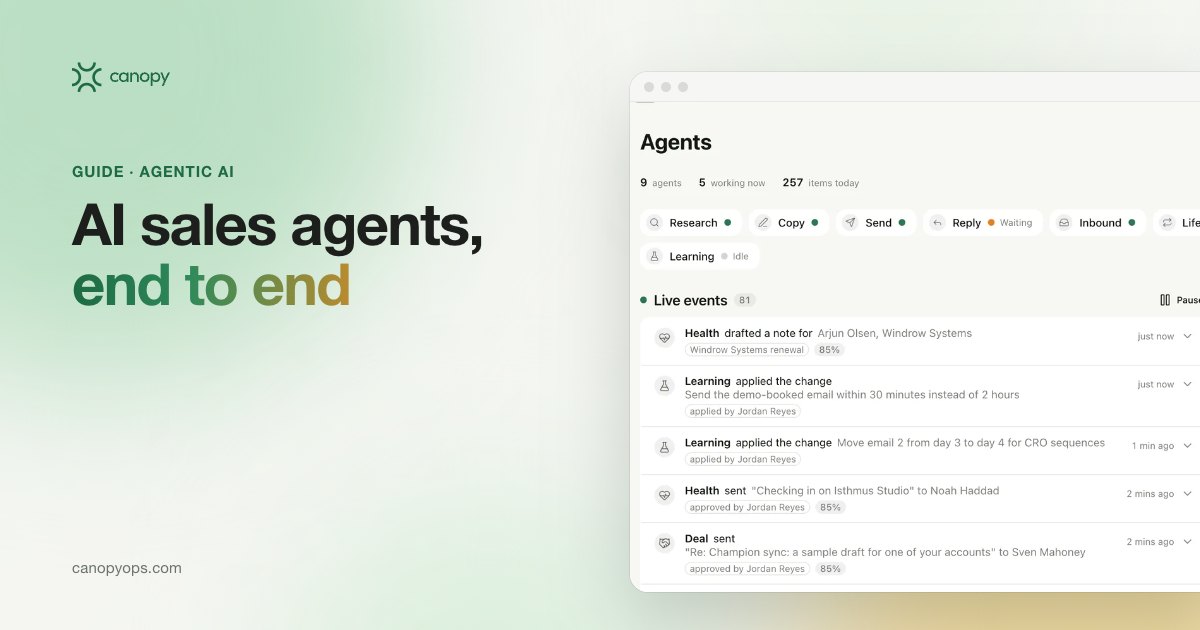
An AI sales agent is software that takes one sales job, such as a first touch or a renewal check, and runs it end to end: it pulls context from your CRM, decides the next step, writes the message, sends it once approved, logs the outcome and learns from the result. A copilot waits for a rep to ask.
Key takeaways on AI sales agents
- An AI sales agent owns one job from trigger to logged result, which separates it from an assistant that drafts on request and from a workflow that follows fixed rules.
- Every AI sales agent runs the same loop: a trigger, research, a draft, an approval, the send, a CRM record and a lesson for next time.
- Send modes decide how much an agent does alone, and the safe starting point is approve to send, where a person sees the full message and its evidence before anything leaves.
- AI sales agents should be judged on replies, meetings and pipeline written back to the CRM.
What is an AI sales agent?
An AI sales agent is software with a narrow goal, access to tools and permission to act. The goal might be to book a meeting with this account or follow up after this call. The tools are the systems a rep already uses: the CRM, a mailbox, a calendar, a research source. The AI model does the reading and writing, and the software around it holds the rules on which accounts are in scope, which claims are allowed and who approves what. In my experience building these systems, the model is the easy part. The rules, the data and the approval step decide whether a sales team trusts the agent enough to use it.
The label "AI sales agent" gets used loosely. Gartner warned in June 2025 about "agent washing", vendors rebranding chatbots and assistants as agents, and estimated that only about 130 of the thousands of agentic AI vendors are real. The same release predicted that over 40% of agentic AI projects will be canceled by the end of 2027, citing escalating costs, unclear business value or inadequate risk controls. If the software can't start a job on its own trigger, finish it and record the result, you are looking at an assistant with a new name.
How is an AI sales agent different from an AI SDR?
An AI SDR is one kind of AI sales agent, built for the top of the funnel: finding accounts, writing first touches and sorting early replies. The broader term covers any agent that works revenue, including agents that draft deal follow-ups after a call or flag churn risk before a renewal. The difference matters when you scope a project. An AI SDR answers "who should we contact next, and what should we say?" An AI sales agent might instead answer "what did we promise this buyer on Tuesday's call?" Pick the question first, then the agent.
AI sales agent vs assistant, copilot and rules-based workflow
Sales teams already run software that gets called AI, and each kind behaves differently once a rep closes the laptop. A rules-based workflow does exactly what it was told. An assistant or copilot waits for a prompt and returns a draft. An AI sales agent watches for its own trigger and works the job through to a logged result, with a person approving where the team requires it.
| Question | Rules-based workflow | Assistant or copilot | AI sales agent |
|---|---|---|---|
| What starts the work? | A fixed trigger, such as a form fill or a stage change | A rep asking for something | A signal it watches for, such as a call ending or usage dropping |
| Who decides the next step? | Whoever wrote the rules, in advance | The rep, every time | The agent, inside limits the team set |
| What does it produce? | The same message for everyone on that branch | A draft or summary for the rep to use | A finished, cited message queued for approval or sent |
| What does it record? | That the step ran | Usually nothing | The touch, the reply and the outcome, written back to the CRM |
| How does it improve? | Someone edits the rules | Only when the rep prompts better | New versions tested against a holdout, winners applied once a person accepts them |
| Where does it break? | Any case the rules didn't foresee | When the rep is too busy to ask | Bad CRM data or no approval step |
Most revenue teams end up running workflows, copilots and agents side by side. Workflows still handle routing and field updates well, and a copilot helps a rep prepare for one call. Agents earn their place on work that repeats daily and needs judgment each time, like following up on every discovery call the same afternoon.
How does an AI sales agent work? One job, end to end
The clearest way to see an AI sales agent is to follow one job. The example below is an outbound first touch, running the way we built it in the Canopy Outbound workspace. A deal follow-up or a renewal check runs through the same seven steps with a different trigger and a different approver.
What triggers an AI sales agent to act?
A trigger is a change that makes an account worth contacting this week. For an outbound agent, that could be a hiring post, a new sales leader, a funding round, a tech stack change or a visit to your pricing page. The agent checks each signal against your ideal customer profile, then screens the account against your CRM and exclusion lists before any research starts. An account with an open deal, an active contract or a do-not-contact flag drops out here. I'd spend more time on this screening than on any prompt, because a cold note to a current customer costs more trust than a good reply earns.
How does an AI sales agent research an account?
Research is where an AI sales agent saves a rep the most time. Salesforce's 2026 State of Sales survey of 4,050 sales professionals found that sellers expect fully deployed agents to cut prospect research time by 34% and email drafting time by 36%. Those figures are expectations, from a vendor that sells agents. For each account, the agent gathers what the company builds, what changed recently, who owns the problem and what your CRM already knows. Every fact carries a citation, so the rep can check the reasoning in one click before approving. When the agent can't find enough evidence to say something specific, it holds the draft and says why.
How does an AI sales agent write the message?
An AI sales agent's draft starts from a brief the team approved. The brief holds the ideal customer profile, the problems you solve, approved proof points and your team's voice rules, which get checked on sample drafts before launch. The draft is a first touch from the account owner, grounded in a few cited facts about that company and person, with follow-ups planned for the same account. Each draft gets a confidence score that reflects how well the evidence supports it, and in Canopy low confidence means the agent pauses and asks. New claims, statistics, customer names, offers and pricing always wait for a person on your team.
Who approves what an AI sales agent sends?
In approve to send mode, a person reviews every message before it leaves. The review is a full preview: the exact message, recipient, sender and send time, the evidence behind each claim, and the confidence score with its reason. One click sends it, after any edits. Canopy's agent control settings allow bulk approval only after the reviewer has opened at least one item in the batch, because quick approve buttons get rubber-stamped at volume. I think the approval screen is the most important product surface in any agent, since a reviewer who can't see why the agent wrote something is only clicking a button.
What happens when an AI sales agent sends and logs to the CRM?
After approval, the message goes out under the account owner's name, and cold email never touches your primary domain. Each approved send waits in a short queue with a 30-second undo window, so a reviewer can pull one back. Then the agent writes the touch to HubSpot or Salesforce against the right contact and account. A touch that lives only inside the agent's own app never reaches your reporting, your attribution or the next rep who owns the account. The CRM stays the source of truth, and the agent works on top of it alongside the tools your team already pays for.
How does an AI sales agent handle replies?
The AI sales agent sorts each reply the moment it lands: positive, objection, out of office, not now or unsubscribe. Positive replies land in the rep's Inbox with the thread and a suggested response, ready to book while the buyer is still at their desk. An objection gets a suggested answer for the rep to send or edit. A not-now reply pauses the sequence and picks it up again months later, and an out-of-office reply pauses it until the return date, then resumes at the same step. Unsubscribes are honored and logged. The same routing applies to inbound form fills, which our post on agentic inbound speed to lead covers.
How does an AI sales agent learn from results?
Testing is how an AI sales agent improves, and every send is a test. In Canopy Learnings, agents write new versions of openers, angles and calls to action, send them alongside a holdout, and measure each on the KPI the workspace owns. Each week Learnings proposes the winning version with its evidence, and one click applies it to the drafts that follow. Nothing in the messaging changes until a person accepts it, and a change rejected later in History reverts the drafts. The voice rules and offers your team approved fix what a draft may say about pricing and proof.
What are the send modes for an AI sales agent?
Send modes set how much an AI sales agent does without a person. Canopy uses three, set per workspace in Canopy's Agent control, and every change is logged with who made it and when. Deals is the exception: it is locked to approve to send.
| Send mode | What the agent does | What a person does | Where Canopy uses it by default |
|---|---|---|---|
| Draft only | Researches and writes; every message waits in a queue | Decides whether and when to send each one | Customers, so the CSM owns every contact with an existing account |
| Approve to send | Queues a full preview with evidence and a confidence score | Reviews, edits if needed and approves each send | Outbound, and the starting mode for every deployment |
| Automatic | Sends and logs high-confidence actions; holds the rest | Handles the exceptions the agent flags to the account owner | Lifecycle, once results justify it, inside the offers and voice rules your team approved |
| Approve to send, locked | Drafts the next step and the follow-up after a sales call | The rep owns every word and approves every send | Deals, permanently |
Why start every AI sales agent on approve to send?
Approve to send lets a team see an AI sales agent's judgment before trusting it. A week of approvals shows what the agent gets wrong, whether that's a fact it misread or an account it shouldn't have picked. Each fix goes into the brief. Moving to automatic is a decision you make one workspace at a time, once the approval queue is mostly clicks with few edits. Open deals never get there. Follow-ups in Canopy Deals stay on approve to send permanently, because an opportunity in flight is too important for any agent to contact on its own.
How do HubSpot and Salesforce handle AI agent approval?
HubSpot and Salesforce both ship agents with a review option and a no-review option. HubSpot's Prospecting Agent, according to its product page in 2026, drafts outreach in each rep's voice and lets reps review and edit emails before they send, or switch to a mode where the agent sends without review. Salesforce's help documentation describes Agentforce Engagement, renamed from Agentforce SDR, as working leads by email on its own, with manual review of agent emails as an optional setting. Salesforce's AI sales agent page gives reps a "suggestive" mode, where they review and approve, for pipeline updates. Whatever you run, check which mode is on by default and who can change it.
Where AI sales agents work from first touch to renewal
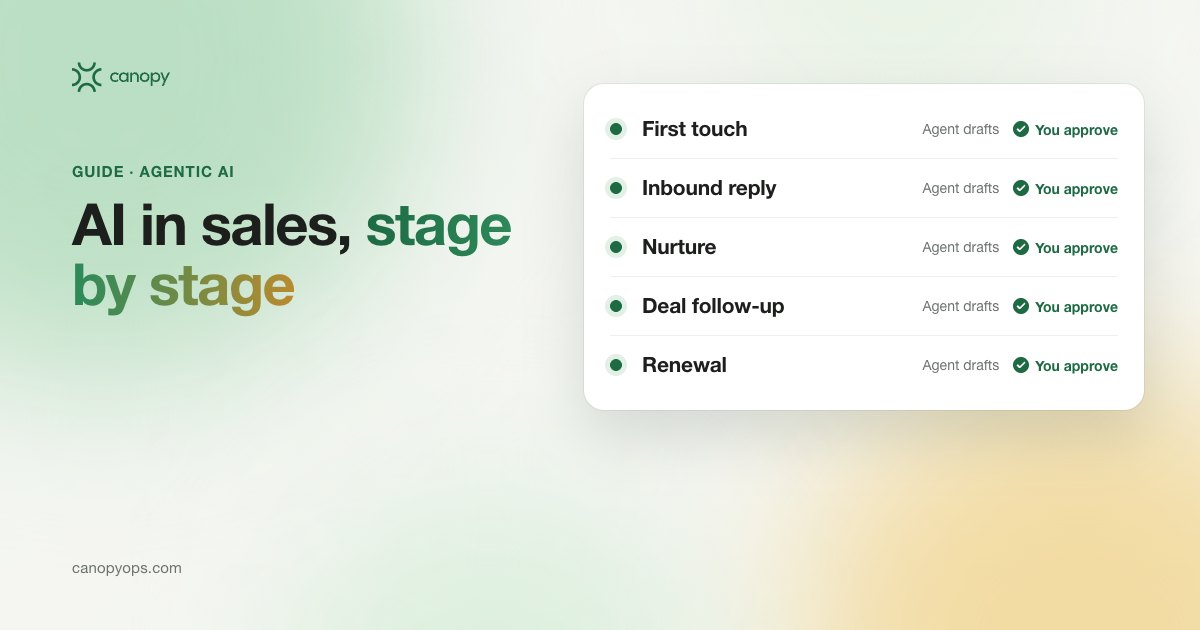
AI sales agents can work every stage of the revenue cycle, and each stage needs its own trigger, approver, default send mode and KPI, as our guide to AI in sales sets out stage by stage. Canopy runs them as four workspaces in one system, the AI sales agent software our GTM Engineers build and run with your team on top of HubSpot or Salesforce:
- Outbound agents find accounts showing intent, research them and write personal first touches that reps approve.
- Agents in Canopy Lifecycle send behavior-triggered email from CRM history, with two jobs: turning leads with no deal yet into pipeline, and recovering closed-lost deals.
- Deals agents read call notes and draft the next step and sales follow-up for the rep.
- Agents in Canopy Customers watch usage and health signals, raise churn risk and expansion alerts, and prepare the renewal for the CSM.
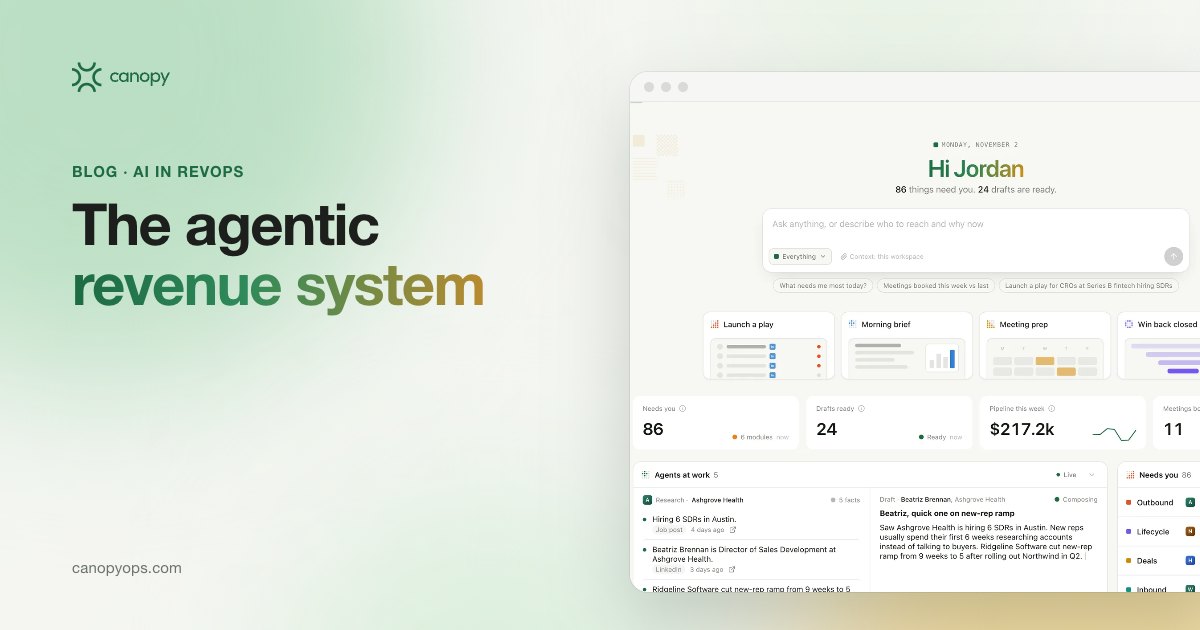
All four workspaces read the same account history, so an objection raised on a sales call can shape an outbound angle, and a usage drop can shape the renewal conversation. Canopy's elevator pitch for an agentic revenue system puts it this way: We unify your systems, build an agent layer on top, and make it the master platform for everything in your CRM. Our team runs it with you, and we own the results.
How to build an AI sales agent your team will trust
Building an AI sales agent is mostly a scoping and data job, because the brief, the CRM data and the approval design are where projects succeed or stall. Salesforce's 2026 State of Sales survey found that 51% of sales leaders with AI say disconnected systems are slowing their AI initiatives, and 74% of sales professionals are focusing on data cleansing. The order I'd follow:
- Pick one job with a clear trigger and a clear owner, such as first touches on accounts that show a hiring signal.
- Fix the CRM fields the agent depends on: owner, lifecycle stage, open deals and do-not-contact flags.
- Write the brief: ideal customer profile, exclusion rules, approved claims and voice rules.
- Decide who approves, and where, before the first draft exists.
- Start in approve to send and track how many drafts reviewers edit.
- Choose the KPI the agent owns and hold out a matched group so you can see its effect.
- Review results weekly and change one thing at a time.
Should you build an AI sales agent in-house or work with a partner?
Ownership matters after launch, and the test for either route is whether your team can run and improve the system after handover. Whichever route you take, keep the CRM as your system of record and make sure you can export the full log of what the agent did and who approved it. Canopy's deployment model puts GTM Engineers in your weekly review for a 90-day adoption period, so your team runs the system alongside them.
How to measure an AI sales agent
Measure an AI sales agent on the outcomes it owns, written back to the CRM. For an outbound agent, that means reply rate, positive reply rate, meetings booked and pipeline created. We never optimize outbound for open rate, because a reply is the first signal that a person read the message and cared. Lifecycle marketing agents add open rate, click rate and click-to-open rate, since they write to people who already know you, and they still report through to meetings and pipeline. Compare every agent against a holdout group, and baseline the numbers before it goes live. Our guide to the KPIs to baseline before buying tools lists which ones to capture.
Why most AI sales agents haven't shown a return yet
Adoption of AI sales agents is ahead of results. Salesforce's 2026 survey found that 54% of sellers have used AI agents and nearly 9 in 10 plan to by 2027. Returns look thinner. McKinsey's State of AI survey, published in August 2026, found 37% of respondents say AI has contributed positively to their organization's EBIT, roughly flat on 2025. Gartner predicted in July 2026 that by 2028 AI agents will outnumber sellers 10 to 1, yet fewer than 40% of sellers will say agents improved their productivity. The gap sits in execution: an agent that drafts but never sends, or sends but never logs, produces activity without pipeline. Give the number an owner who reviews the results every week.
Common questions about AI sales agents
What does an AI sales agent actually do?
An AI sales agent runs one sales job from start to finish. It notices a trigger, pulls context from your CRM and research sources, decides the next step, writes the message, sends it once a person approves, logs the outcome to HubSpot or Salesforce and learns from the result. A copilot drafts only when a rep asks.
Is an AI sales agent the same as an AI SDR?
An AI SDR is one type of AI sales agent, focused on prospecting and first touches. "AI sales agent" is the wider term and also covers agents that follow up after sales calls, send lifecycle email based on CRM behavior, and flag churn risk or expansion before a renewal. If a vendor uses the two terms interchangeably, ask which jobs their agent runs end to end.
Will an AI sales agent email prospects without anyone checking?
Only if you set it to. In approve to send mode, a person sees every message, with its evidence and a confidence score, before it leaves. Automatic mode sends without a review step, and in Canopy only high-confidence actions proceed on their own while low-confidence drafts are held for a person. We start every deployment on approve to send, and deal follow-ups never leave it.
Does an AI sales agent work with HubSpot or Salesforce?
Yes. A well-built AI sales agent runs on top of the CRM you already own and writes every touch, reply and meeting back to it. HubSpot or Salesforce stays the system of record, so reporting, attribution and account history stay in one place. Canopy works with both, along with the call recordings, mailboxes and team chat you already use, and gives every client a private instance.
How long does it take to get an AI sales agent live?
Canopy's first workspace goes live after a 30-day build, which follows a revenue workshop in week zero. A 90-day adoption period runs from day 30 to day 120, with our GTM Engineers in your weekly review tuning against your numbers. Monthly sprints ship improvements, and new workspaces get added in quarterly waves once the first one is performing.
What data does an AI sales agent need to work well?
An AI sales agent needs clean owner and status fields in the CRM, a defined ideal customer profile, exclusion rules, and a library of approved claims and proof. Call notes, product usage and past email results make it better. Gaps in the basics cause the worst errors, such as emailing an open opportunity or a current customer as if they were a cold prospect, so fix those fields first.
How do I know if an AI sales agent is working?
Compare its numbers against a holdout group and against the baseline you took before launch. For outbound, track reply rate, positive reply rate, meetings booked and pipeline created; for lifecycle, add open rate, click rate and click-to-open rate. Watch the edit rate in the approval queue too. If reviewers rewrite most drafts, the brief needs work before the agent gets more volume.
Do AI sales agents replace sales reps?
No. AI sales agents take research, drafting, logging and reply sorting off a rep's plate, while reps approve the work and own the relationship. Gartner expects AI agents to outnumber sellers 10 to 1 by 2028, with fewer than 40% of sellers saying agents improved their productivity. Design the agent around the rep's day, with the rep as the approver.
What are the risks of using an AI sales agent?
The main risks are wrong facts, wrong recipients and work nobody can audit. An agent can misread a source, contact an account that's already in a deal, or send at a volume that hurts your domain reputation. The controls that help are cited evidence on every claim, CRM screening before research, approval before send, a 30-second undo window, a pause on any play, a kill switch that stops every automatic campaign at once, and a record of every agent action, including who approved each send, as described on our security page.
Can AI sales agents help with renewals and existing customers?
Yes, though the job changes. A customer-facing agent watches product usage and health signals in the CRM, flags churn risk and expansion opportunities, and prepares renewal material for the customer success manager (see our guide to AI for customer success). In Canopy, the Customers workspace defaults to draft only, so the CSM decides whether and when anything goes to an existing account.
Written by John Miraglia, Co-Founder of Canopy, who leads product and platform. John built and exited a B2B SaaS company by automating every step of the pipeline instead of hiring more reps. Last updated: November 2026.
We're opening Canopy to a small group of companies that want AI sales agents working their revenue on the CRM they already own, built and run with their team by the team behind Sprig and Stability AI. Apply to become a launch partner.
Canopy
See how Canopy puts this to work on top of HubSpot or Salesforce, with your team approving what sends.